Run Your Entire Retail Business Inside WooCommerce

POS, Offline Sales, Business Documents, Inventory, Staff, Payroll, Reporting & Security — All in One System. No Monthly Fees.

Offline-ready POS (PWA)
20+ Business Documents
Facial Login & Kiosk Mode
Purchase Orders & Inventory Sync
Cashier Roles & Security Controls
Get Lifetime Access - $89 Watch Demo
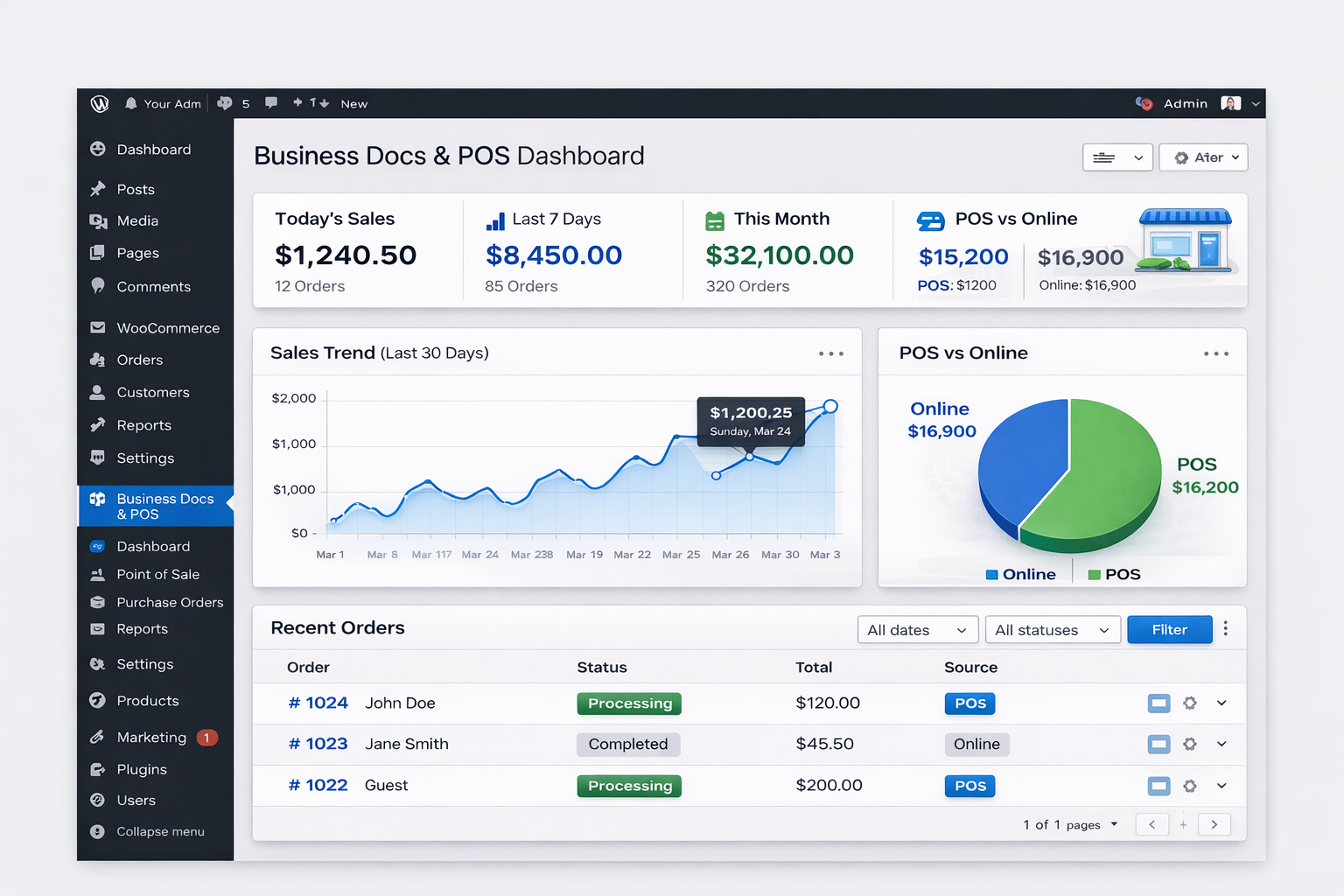
WooCommerce POS and Document Suite Interface

Stop Paying Monthly Fees for Basic Business Tools

Most WooCommerce stores pay separately for POS, invoicing, shipping documents, and receipts. This plugin replaces all of them.

Paying monthly for POS software
Using 3–5 different tools for docs
No thermal printing for walk-ins
Manual document creation
Unbranded, unprofessional invoices
Inventory mismatch (online vs offline)
No clear POS vs Online sales reports
No purchase order & stock replenishment tracking
No cashier accountability or end-of-day summaries

Trusted by retailers, wholesalers & service businesses worldwide

RETAIL SHOPS WHOLESALERS AGENCIES SERVICE PROVIDERS

Built for Real Businesses, Not Hobby Stores

We didn't build this for "everyone". We built it for serious WooCommerce businesses.

Who This Is For

  • Retail Stores with walk-in customers
  • Multi-staff shops with cashiers & managers
  • Wholesalers & B2B sellers with inventory
  • Businesses tired of SaaS subscriptions

Who This Is NOT For

  • Simple "one-product" shops
  • Dropshipping-only stores
  • Hobbyists who don't need inventory control

Why This Is Not Just Another WooCommerce Plugin

Most plugins solve one small problem. This suite replaces entire business systems.

Invoice plugins → Documents only
POS plugins → Sales only
Inventory plugins → Stock only

This plugin combines POS, documents, purchase orders, inventory, and reports in one system.

Built-in POS Interface

A professional, user-friendly point of sale interface directly inside your WordPress dashboard.
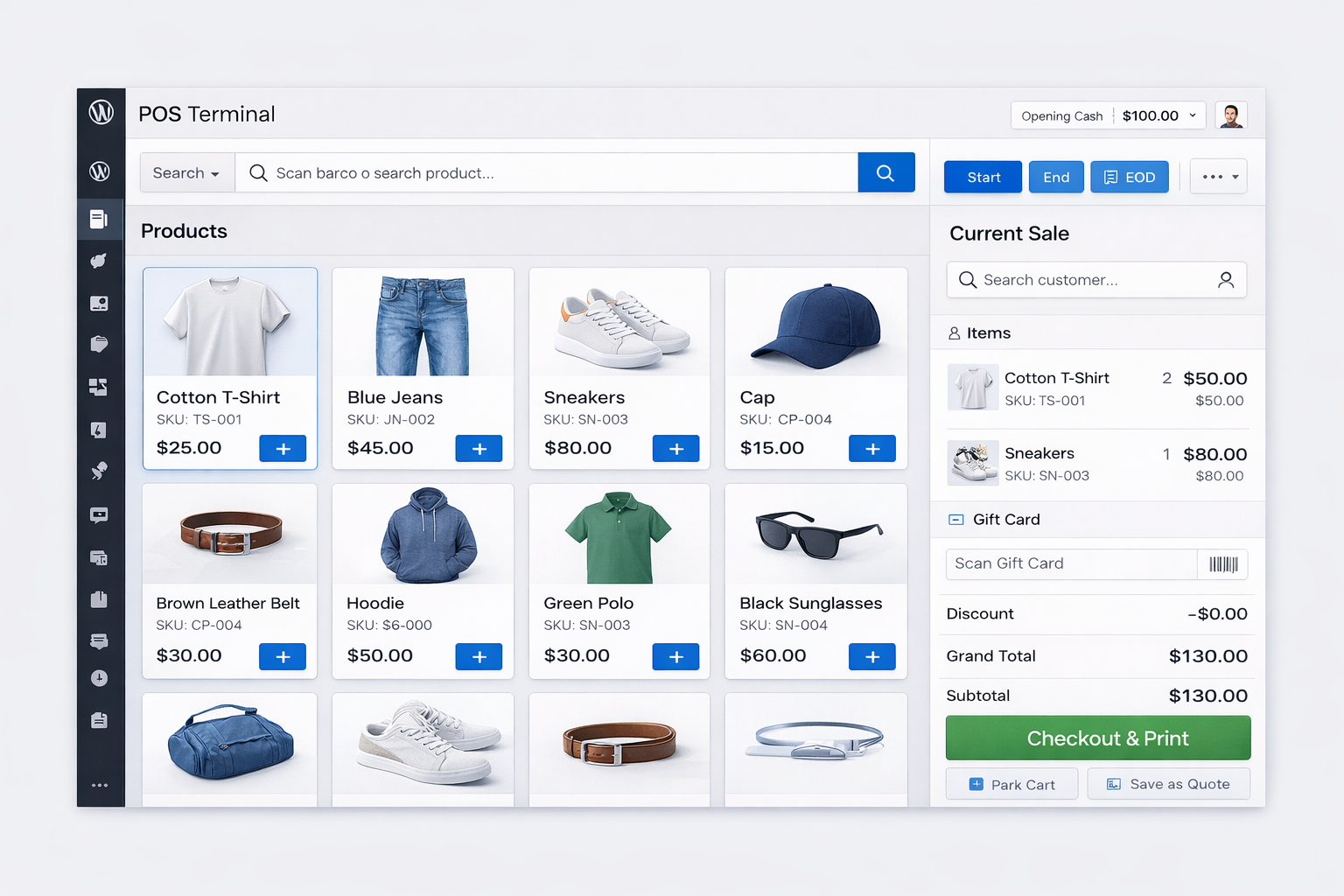
WooCommerce POS Terminal Interface

🎥 See the POS, Documents & Reports in Action

People won't trust a plugin this powerful without seeing it. Watch how it works.

1. Walk-In Sale + Thermal Print

Create order → Click "Print Thermal Receipt" → Instant print.

2. Full Business Workflow

Order → Invoice → Packing Slip → Delivery → Proof of Delivery.

3. Replace POS Cost

POS sessions, end-of-day summaries, and real-time inventory updates.

Core Modules: The Retail OS

Replace 5+ separate plugins with one integrated system.

� POS & In-Store Sales

Replace expensive POS software completely.

  • Fast product search (SKU, barcode)
  • Park & resume carts
  • Split payments (cash + card)
  • Coupons, discounts, BOGO
  • Refunds directly from POS

Every sale is a real WooCommerce order — no sync issues.

⚡ Offline-Ready POS

Sell even when the internet goes down.

  • Works offline using PWA technology
  • Auto syncs when online
  • Offline cashier login
  • Ideal for unstable internet regions

Major Differentiator.

� Staff, Roles & Security

Enterprise-grade access control.

  • Cashier role (POS only)
  • Manager role (reports & settings)
  • Granular permissions (Refunds, Reports)
  • Secure POS AJAX endpoints

Cashiers can only do what you allow.

� Facial Login & Kiosk Mode

Modern, secure, and fast staff login.

  • Face enrollment per employee
  • Facial login for POS
  • Kiosk mode for tablets
  • Eliminates shared passwords

� Business Documents Engine

Every document your business needs (20+ types).

  • Sales: Invoice, Receipt, Quote, Credit Note
  • Logistics: Packing Slip, Pick List, Delivery Note
  • Operations: Purchase Order, Subscription Invoice
  • Returns: RMA Slip, Warranty Certificate

📦 Inventory & Purchase Orders

Real stock control — not spreadsheets.

  • Vendor management
  • Create POs to suppliers
  • Auto stock update on "Received"
  • Low-stock dashboard alerts

👥 HR & Payroll

Built-in staff management.

  • Employee profiles (separate from WP users)
  • Shift/session tracking
  • Payroll calculation & Payslips
  • Face enrollment

📊 Reports & Dashboard

Know what’s happening daily.

  • POS vs Online sales breakdown
  • Cashier performance stats
  • End-of-Day reports
  • Export to CSV

🔐 Built With Security First

We know you are running a real business. Security is not an afterthought.

Capability-Based Access

Granular control over what each role can see and do.

Protected AJAX Endpoints

Secure communication between POS and server.

No Cashier Admin Access

Cashiers stay in the POS UI. No backend access.

Secure Document Printing

Only authorized staff can generate or view sensitive docs.

Retail Operating System for WooCommerce

Replaces POS SaaS ($50–$150/mo), Invoicing, Inventory, Payroll & Reporting tools. Own it for life.

Agency / Unlimited

$199 / one-time

For agencies & multi-store owners

  • All Pro Features
  • Unlimited Websites
  • Client Usage Allowed
  • Priority Developer Support
  • Lifetime Updates
Get Agency License

Why We Built This

We built this because WooCommerce stores were forced to stitch together multiple plugins and subscriptions just to run basic operations.

This plugin unifies sales, staff, inventory, documents, and reporting into one secure system.

Frequently Asked Questions

Does it work offline?

Yes. The POS is built with PWA (Progressive Web App) technology. It continues to work if your internet drops, and syncs all sales to the cloud automatically when the connection is restored.

What hardware do I need?

It works on any device with a web browser — iPad, Android tablet, laptop, or desktop PC. It also supports standard USB barcode scanners and thermal printers. You don't need to buy expensive proprietary hardware.

Does it integrate with my Card Terminal?

We support standalone card terminals. You process the payment on your terminal as usual, and then select "Card" as the payment method in the POS to record the sale. We do not currently integrate directly with Stripe Terminal hardware to keep the plugin lightweight and universally compatible.

Can I restrict my staff?

Yes. We include granular user roles. You can assign staff as "Cashiers" who only have access to the POS interface and cannot access your WordPress backend, settings, or sensitive reports.

How does Facial Recognition work?

It uses secure facial descriptors to verify identity. No actual photos of your staff are saved in the database, ensuring privacy and compliance with data regulations.

Is my data safe?

Your data lives on your own WooCommerce server. Important Note: If you are using the POS offline, do not clear your browser cache until you are back online and the data has synced, otherwise unsynced local data could be lost.

It’s a complete retail operations system that turns WooCommerce into a fully-featured physical and digital business platform — without monthly fees.

Get Lifetime Access - $89